When shopping for a TV stand, most listings are filled with marketing adjectives like “sleek,” “modern,” or “premium” that provide no functional data. To make a practical decision, you should ignore these aesthetic descriptors and focus on load-bearing capacity, depth clearance, and material standards. These are the load-bearing specs that determine if a stand will sag under a heavy screen or tip over during use. Identifying the difference between a marketing term and a measurable standard ensures you do not buy a unit that fails under the weight of your specific hardware.
TV Stand Weight Capacity and Material Standards
Weight capacity is the maximum amount of mass a TV stand can safely support without structural failure or permanent deformation. You need to ensure the rated capacity exceeds the combined weight of your television, soundbar, and any other mounted peripherals.
- Weight Capacity – This is the maximum load limit, usually measured in pounds (lbs) or kilograms (kg). A higher number is better, as it provides a safety buffer for heavier OLED panels or integrated fireplace units.
- Solid Wood Construction – This refers to furniture built from timber rather than composite materials. Solid wood offers a higher weight-bearing stability than MDF or particle board, which can bow over time under concentrated weight.
- MDF (Medium Density Fiberboard) – A wood-composite product made from compressed fibers. While cost-effective, MDF has lower structural integrity than solid wood and may sag if the weight capacity is pushed to its limit.
- Particle Board – A material made from wood chips and resin. This is typically the lowest tier of construction and is most prone to structural sag if used for large-scale displays.
- Structural Sag – This is a failure mode where the shelf material yields and bends under weight. You want to choose a stand where the weight capacity is significantly higher than your equipment’s weight to avoid this.
Where these choices show up in our reviews
These 3 have their own full review on this site, and run from $199.99 to $362.94.

Ameriwood Home Lumina Fireplace TV Stand
$362.94 price checked August 2026
Read our full Lumina Fireplace TV Stand review
If you are shopping for a specific size, explore top picks for a 65 inch tv to see our curated list.
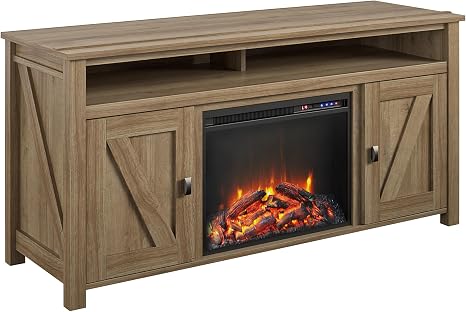
Ameriwood Home Farmington Electric Fireplace TV Console
$299 price checked August 2026
Read our full Farmington TV Console review
For a more immersive setup, see how to find a gaming stand with led lights.
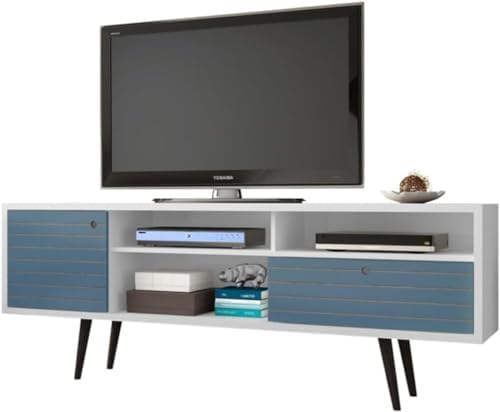
TV Stand Dimensions and Clearance
Physical dimensions dictate whether the furniture fits in your room and whether it can physically accommodate the footprint of your hardware. You must measure your wall space and your TV’s dimensions before selecting a unit.
Understanding your options is easier when you compare the different types of tv stands available today.
- Depth Clearance – This is the measurement from the front of the stand to the back. You need a depth that accommodates the footprint of the TV plus any peripheral components like a soundbar or gaming console.
- Width Clearance – The total horizontal span of the unit. A stand should be wider than the TV screen to ensure stability and prevent the edges of the screen from overhanging.
- Height Clearance – The distance from the floor to the top surface. This determines your viewing angle; you should choose a height that aligns the center of the screen with your eye level when seated.
- Footprint – The total area the base occupies on the floor. A larger footprint generally improves the center of gravity and reduces the risk of a tip-over hazard.
- Tip-Over Hazard – A safety risk occurring when the center of gravity is too high or the base is too narrow. A wider, heavier base relative to the height of the TV reduces this risk.
TV Stand Cable Management and Ventilation
Cable management and ventilation terms describe how the stand handles the infrastructure and heat produced by your electronics. Proper management prevents wire strain and prevents hardware from overheating.
- Cable Management – Features like grommet holes or rear channels that allow wires to pass through the unit. Better management means wires are accessible for routing rather than being trapped behind inaccessible panels.
- Open Back Design – A construction style where the rear of the unit is completely open. This is better for heat dissipation as it prevents hot air from being trapped behind the electronics.
- Heat Trapping – A failure mode where poor ventilation causes electronics to overheat and malfunction. You should prioritize designs that allow for airflow around the back of the TV and media players.
- Grommet Hole – A plastic or metal-lined hole in the furniture surface. These allow you to feed cables through the stand while protecting the wires from sharp edges.
- Wire Routing Path – The specific route cables take through the furniture. A clear path ensures that moving the stand does not pull or strain the connections to the TV.
Commonly Confused TV Stand Terms
Buyers often confuse different types of furniture and measurements that sound similar but serve different functional purposes.
Media Console vs. TV Stand
A TV stand is often a simpler piece of furniture designed primarily to hold a television. A media console is typically a larger unit designed to house a wide variety of components, including gaming systems, cable boxes, and large collections of media, often featuring more internal shelving.
Depth vs. Clearance
Depth refers to the physical dimension of the furniture itself. Clearance refers to the amount of empty space available for your equipment. You may have a stand with a 20-inch depth, but if your TV requires 22 inches of space to clear the wall, the clearance is insufficient.
Weight Capacity vs. Load Rating
While often used interchangeably, weight capacity usually refers to the maximum safe load for the top surface, while a load rating might refer to the weight of the unit itself or the capacity of individual internal shelves. Always verify if the capacity applies to the entire top surface or just a specific shelf.